Real content. Your brand.
Start with the photos and short videos you already create. Branding is applied to a publishing copy, leaving your original files untouched.
Managed social publishing for local businesses
Drop your approved photos and videos into Google Drive. CTE Social prepares the content, applies your branding, and schedules it across your included channels.
Compare plans and pricingYour approved photos and videos in Google Drive.
Media checks, captions, and your branding.
Content routed to your eligible connected accounts.
Availability depends on your plan, account eligibility, and content format.
A simple operating rhythm
A managed content routine that keeps your business in control of its media and connected accounts.
Start with the photos and short videos you already create. Branding is applied to a publishing copy, leaving your original files untouched.
Review, edit, reschedule, or cancel upcoming posts in Publer. Scheduled content publishes automatically unless you change or cancel it.
Keep creating and publishing manually in Publer to your assigned accounts. Manual posts do not reduce your managed content allowance.
Planning your setup? See what to prepare, follow the signup-to-activation steps, and check supported platforms and formats.
See the difference
A real example from Cowboy Trailers and Equipment Rental: the original business photo, paired with the branded Instagram post and its caption.
Explore real examples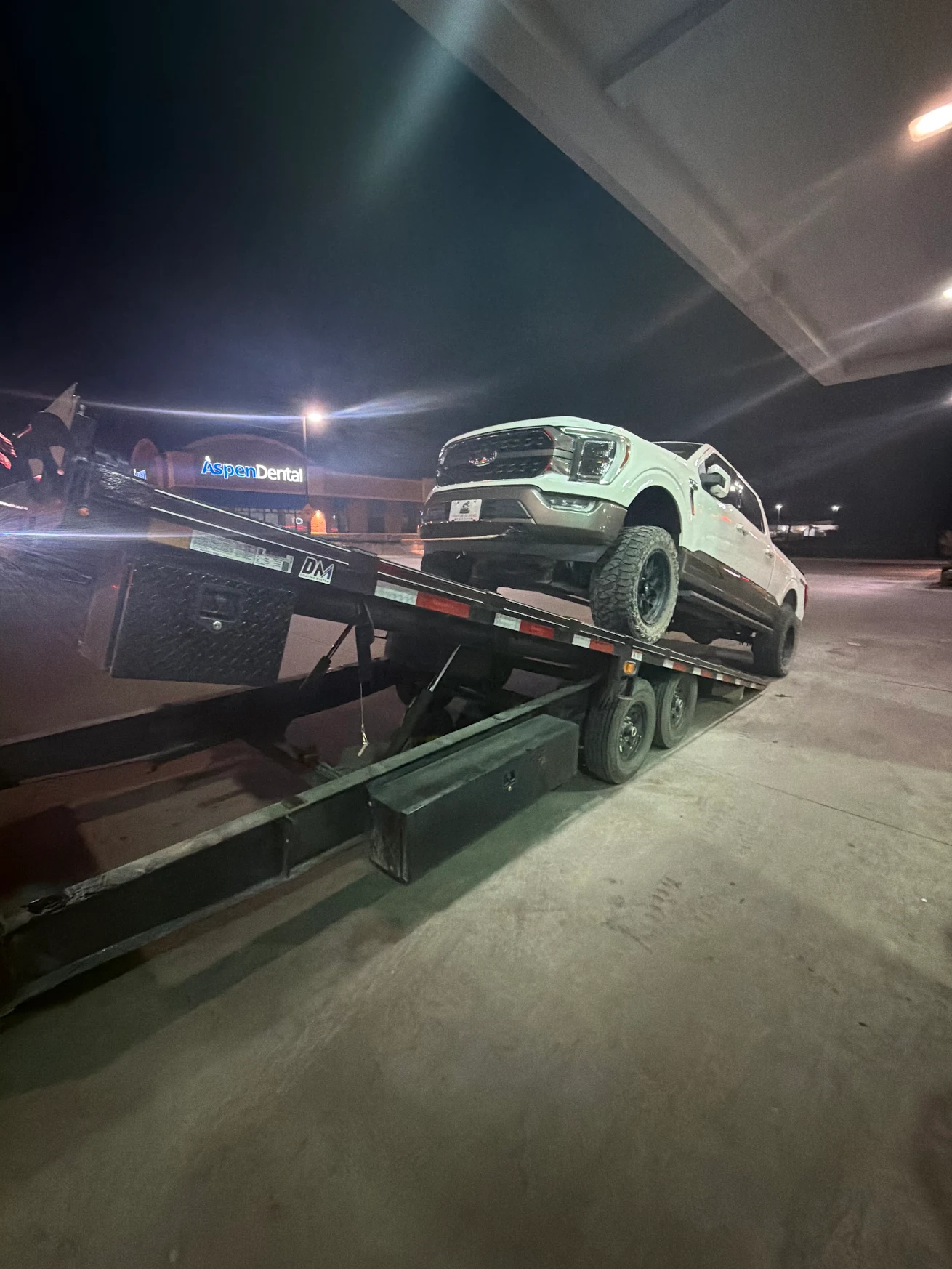
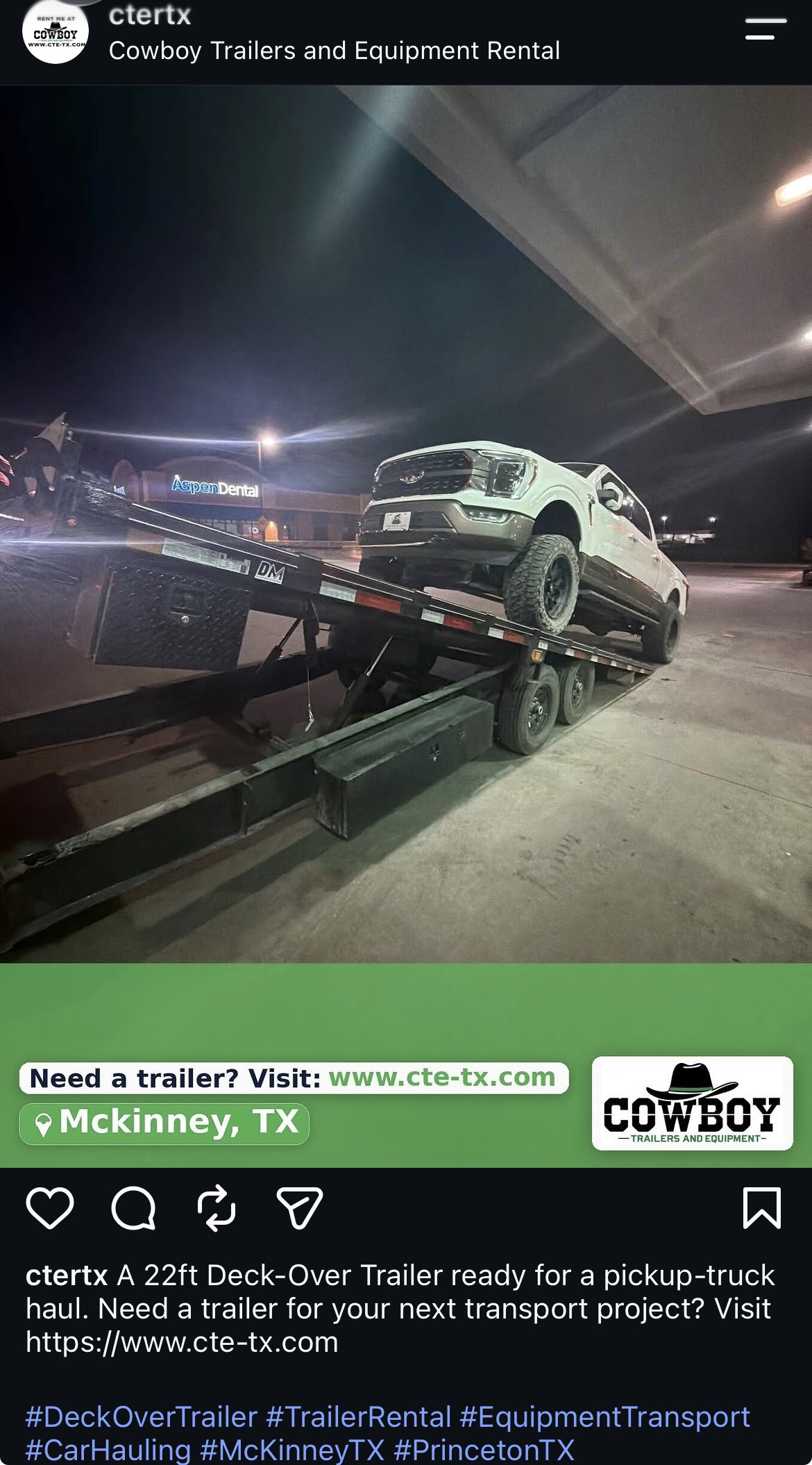
Watch how Cowboy Trailers turns Google Drive photos into branded social posts—without logging into every platform or writing captions manually.
Use code CTE40 for 40% off your first three months.
Clear monthly allowances
Select a plan to create your account in the CTE Social app. X and LinkedIn are included in every plan at no additional cost. Compare all features below.
Build consistency
12 photo posts each month
Add short-form video
16 photo posts + 4 videos each month
Increase your cadence
24 photo posts + 8 videos each month
Compare everything included
Compare your managed content allowance and the customer tools available through your assigned Publer Client access.
On smaller screens, scroll the table sideways. Keyboard users can focus the table area and use the arrow keys.
| Feature | Presence | Growth | Autopilot |
|---|---|---|---|
| Managed CTE Social service | |||
| Managed photo posts each month | 12 | 16 | 24 |
| Managed short-form videos each month | Not included | 4 | 8 |
| Maximum platform publications each month | Up to 72 | Up to 120 | Up to 192 |
| Photos allowed in each photo post | Up to 10 | Up to 10 | Up to 10 |
| Before-and-after photo posts | Included | Included | Included |
| Included social networks | 6 | 7 | 7 |
| X (Twitter) and LinkedIn | Included | Included | Included |
| Automatic Facebook and Instagram Stories | Included | Included | Included |
| Google Drive content organization | Included | Included | Included |
| AI-assisted captions and customer branding | Included | Included | Included |
| Privacy review before automated publishing | Included | Included | Included |
| Customer tools available in Publer | |||
| Manual posting in Publer | Included | Included | Included |
| Create, edit, publish, and delete assigned posts | Included | Included | Included |
| Publer content calendar | Included | Included | Included |
| Publer Media Library | Included | Included | Included |
| Publer RSS feed tools | Included | Included | Included |
| Publer analytics for assigned accounts | Included | Included | Included |
How publication totals work: One managed photo post or video counts once toward your content allowance, even when it is distributed to several networks. The maximum totals above assume every included item reaches every eligible photo or video destination: Presence, 12 × 6 = 72; Growth, (16 × 6) + (4 × 6) = 120; Autopilot, (24 × 6) + (8 × 6) = 192. Actual totals depend on connected accounts, selected destinations, available media, and successful publication. Optional Story copies are separate from these totals.
Formats and Stories: Grouped photos remain subject to destination limits. Optional Stories require an eligible Facebook Page or Instagram Business account and corresponding source content; Presence has no base video allowance. See supported platforms and formats.
Publer tools: These apply only to the accounts assigned to you, within your permissions and provider availability. Customer-created manual and RSS activity does not reduce your CTE Social managed-post allowance.
Prices are in USD. Annual billing is prepaid at a 20% discount; content allowances still apply per service month and do not roll over. Each subscription covers one brand and one location.
Each plan includes one connected account per included network. Additional accounts on the same network are available through a custom arrangement and require an approved account entitlement.
Destinations depend on your plan, connected accounts, and format. Google Business Profile receives photo posts; YouTube automation is for Shorts. A content item published to multiple eligible destinations counts once toward your managed allowance.
Good to know
Yes. Choose a plan above or select Get started. You’ll create your CTE Social account and continue to secure Stripe Checkout in the app. Social channels and Google Drive are connected during onboarding.
No. Payment starts onboarding. Complete your business details, media setup, account connections, and required verification and consent. CTE Social then completes the first activation before automatic publishing begins. See the signup-to-activation steps.
The activated workflow does not require a separate approval click for every post. Review upcoming content in Publer and make any allowed changes before publication. Scheduled posts publish automatically unless you edit, reschedule, or cancel them.
Your plan price stays the same. You can connect included networks during onboarding or add them later. Publishing depends on your connected accounts and eligible content formats.
Yes. Upload original media you have permission to use. Photography, video production, paid advertising, inbox management, and public-comment management are outside the subscription. Reach, engagement, leads, and sales are not guaranteed.
Ready when you are
Create your account, choose your plan, and complete onboarding in the CTE Social app.